How to Share a Recipe with Anyone (Even if They Don't Have Crumb)
How to Share a Recipe with Anyone (Even if They Don’t Have Crumb)
Quick answer: Open any recipe, tap the 3 dots menu, and choose Share. Crumb gives you a link — anyone you send it to can open it in their browser and view the recipe, no Crumb account needed. If they do have Crumb, they can save it straight to their own box.
Step-by-step
- Open any recipe in your library.
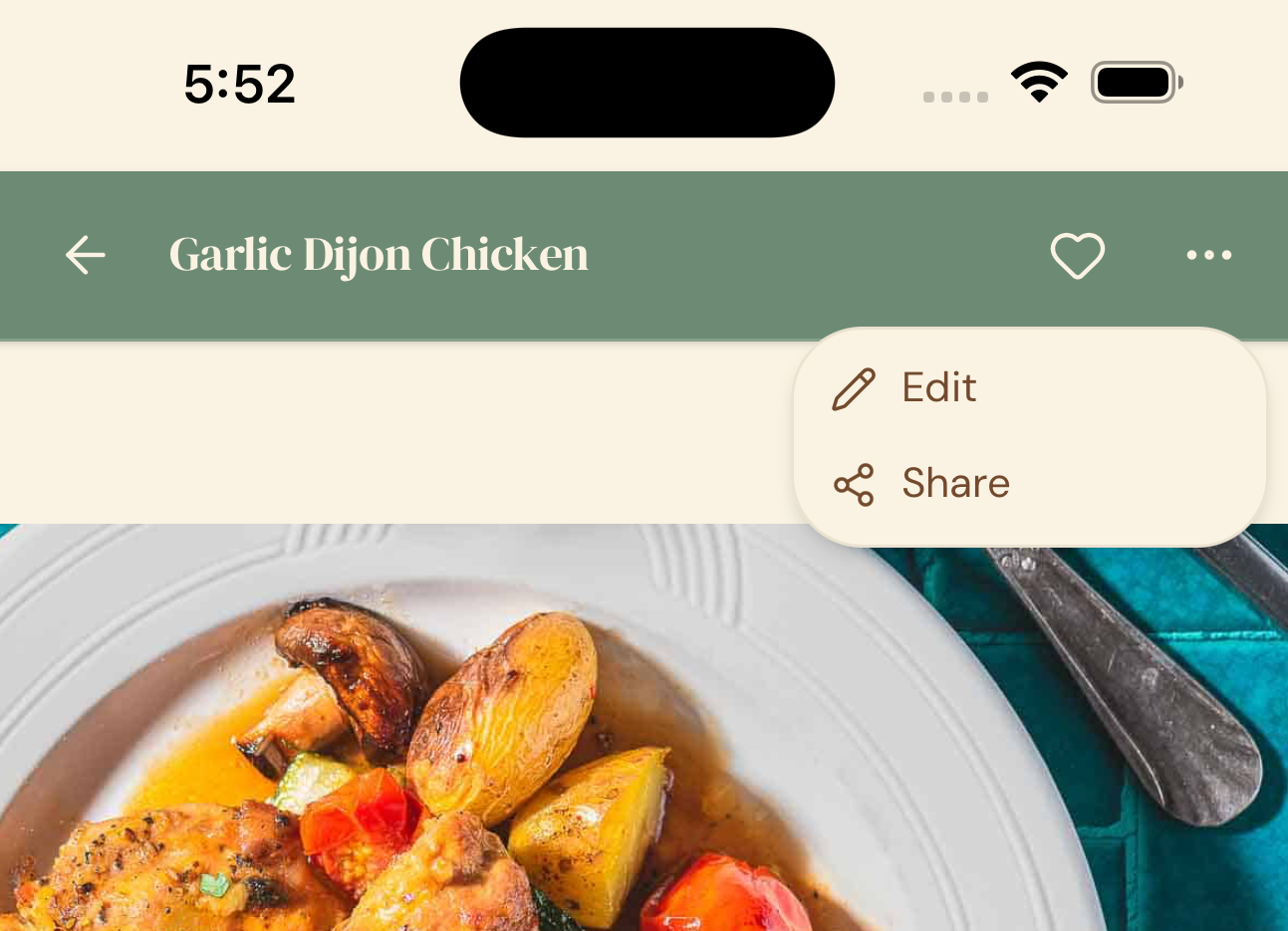
- Tap the 3 dots in the recipe menu.
- Tap Share.
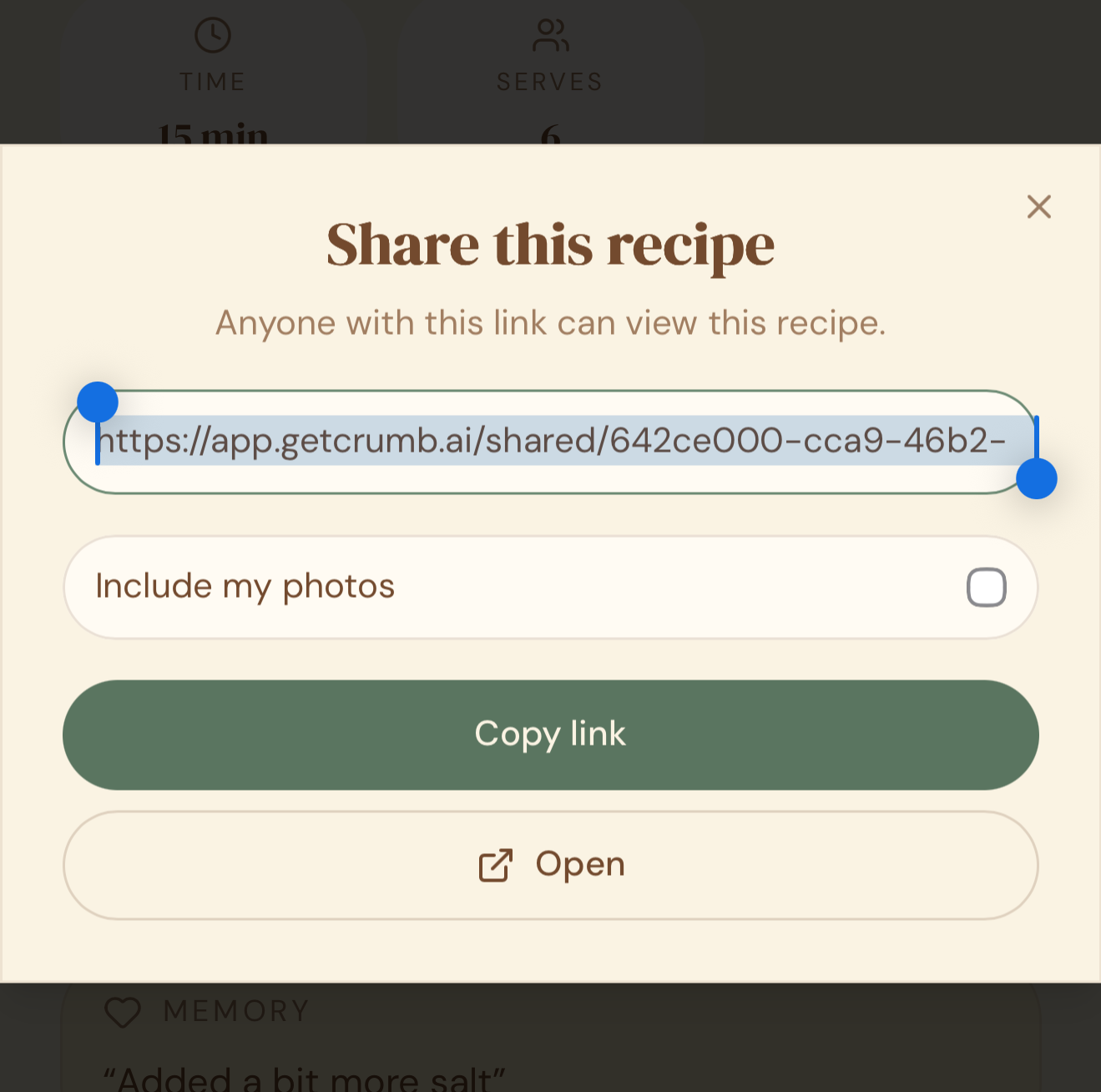
- Choose whether you want to include your memory photos of the recipe in the link, or keep those private.
- Tap Copy Link.
- Send the link to anyone — text, WhatsApp, email, however you’d normally share.
What the other person sees
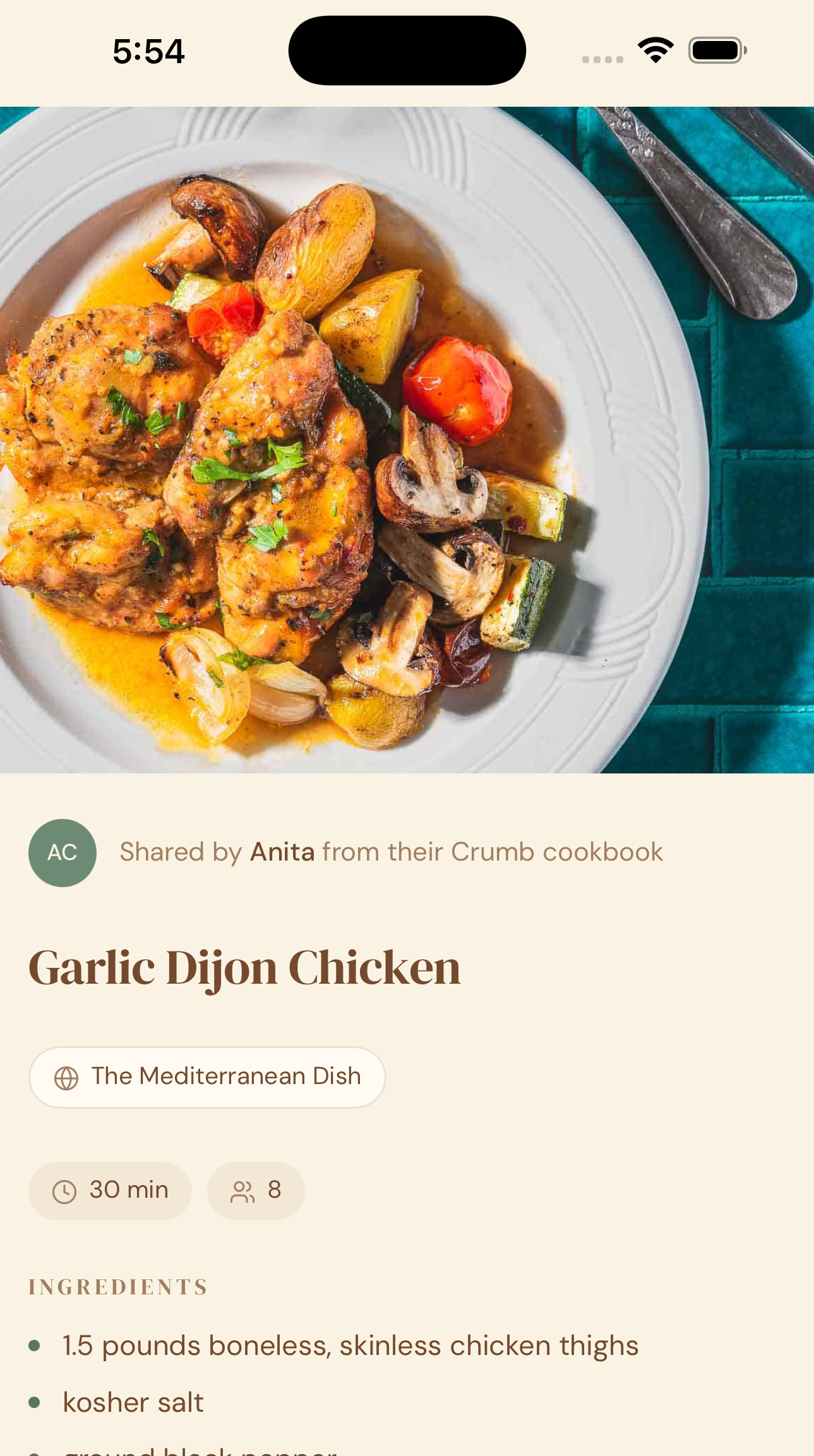
- The link opens the recipe in their browser — no app or account required to view it.
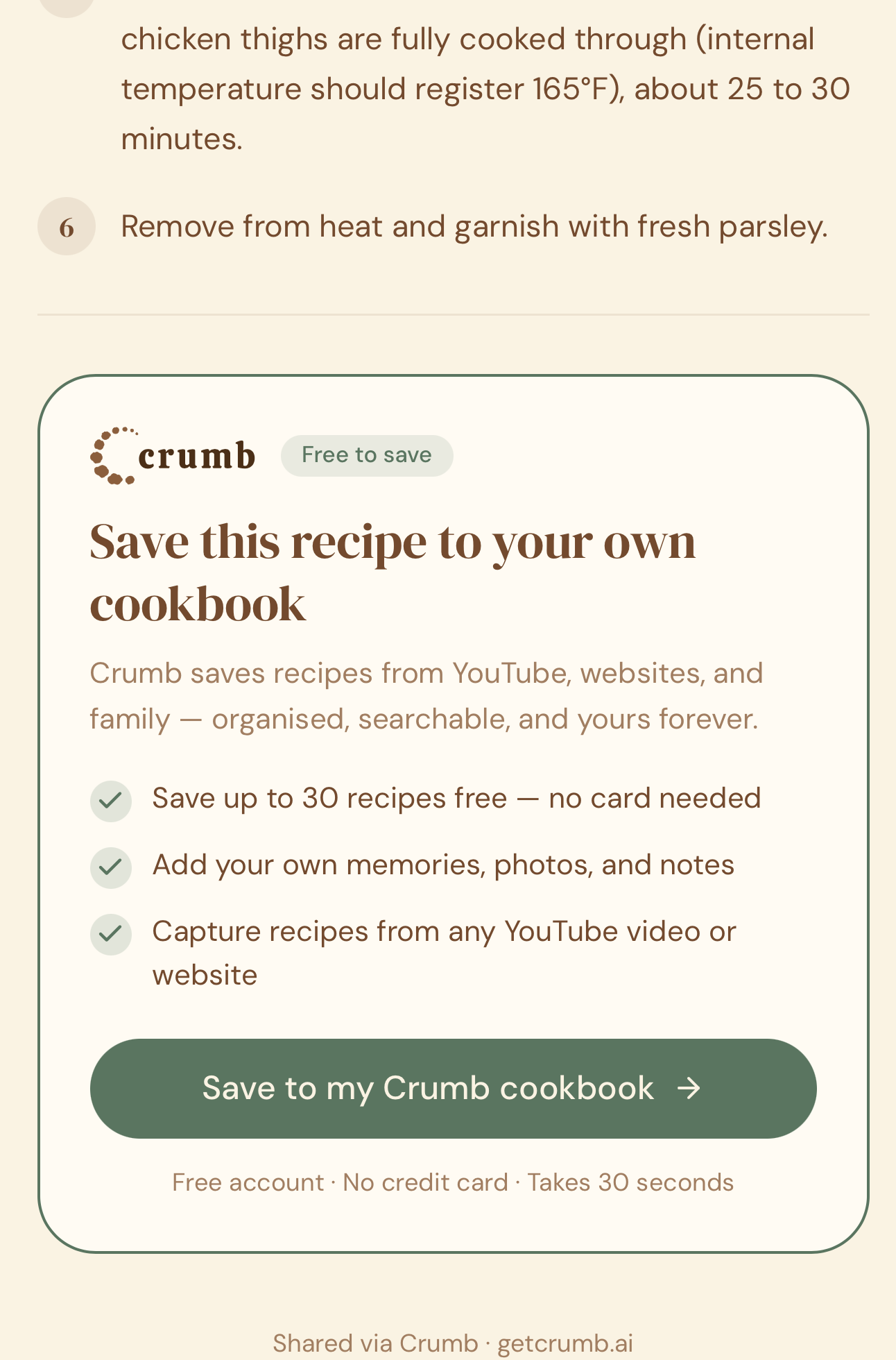
- If they already have a Crumb account, they’ll see an option to save the recipe straight into their own recipe box.
- If they don’t have Crumb, they can still read the full recipe, and they’ll see an option to create a free account if they want to save it.
Why this matters
Not everyone you want to share a recipe with is going to be part of your family cookbook, and not everyone has Crumb yet. This is the fast option — one link, works for anyone, and it’s also the easiest way for someone to discover Crumb for themselves.
Quick tips
- Think before including memory photos — these are often personal (family, kids, kitchen mess) and you may want to keep them just for your own box.
- The link stays live and up to date — if you edit the recipe later, anyone with the link sees the latest version.
- This is different from a family cookbook: sharing a link is one recipe, to anyone, one-off. A family cookbook is your whole shared collection, ongoing, for people you invite in.