How to Import a Recipe from Any Website or Blog
How to Import a Recipe from Any Website or Blog
Quick answer: There are two ways to get a recipe from a website into Crumb — paste the link inside the app, or share it directly from your phone’s browser. Either way, the AI strips out the ads, pop-ups, and life story, leaving you with just the ingredients and steps.
Method 1: Paste a link inside the app
- Find the recipe on any website or food blog.
- Copy the page URL from your browser’s address bar.
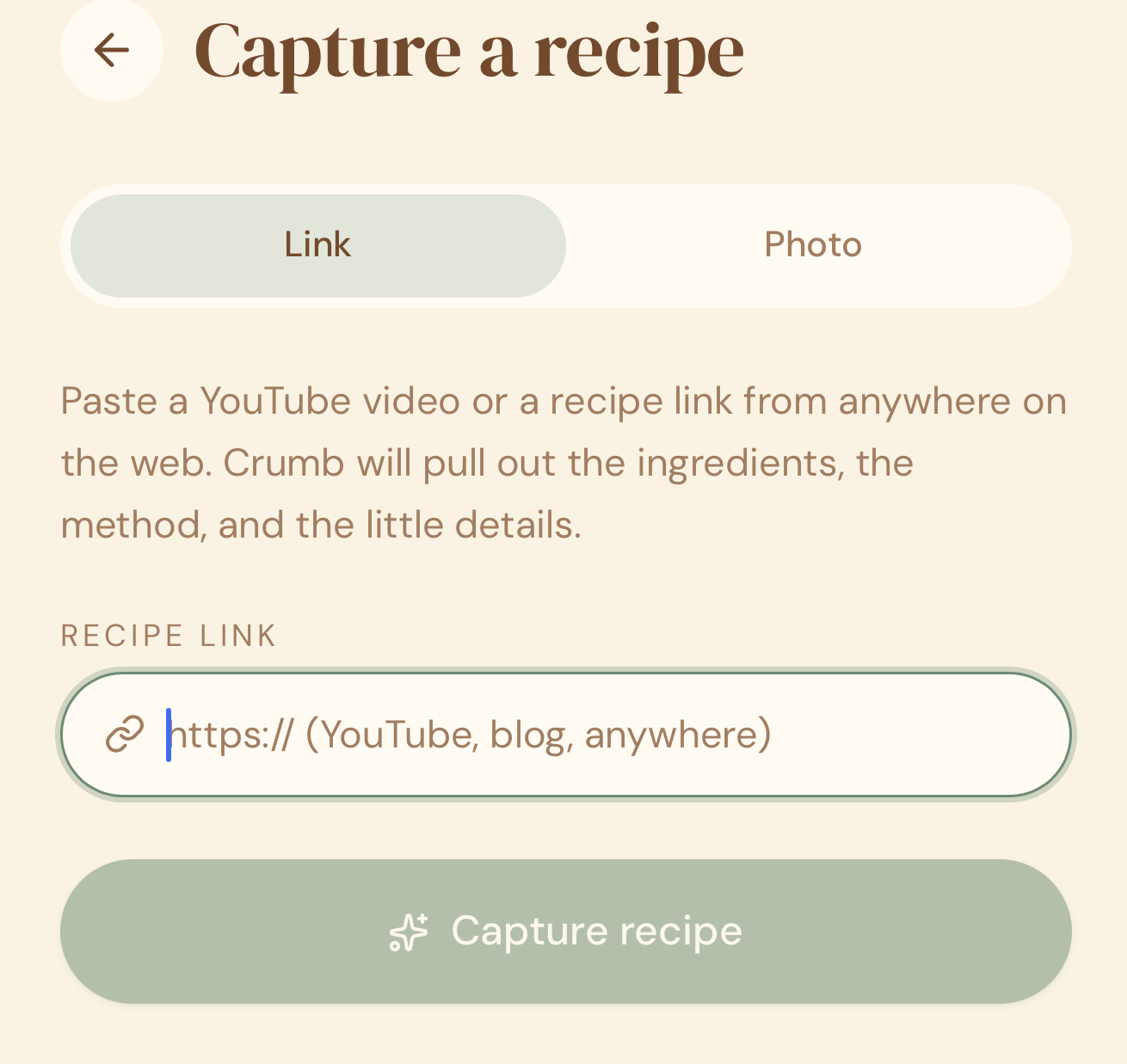
- Open Crumb and tap Add Recipe.
- Choose Link.
- Paste the URL and tap Capture Recipe.
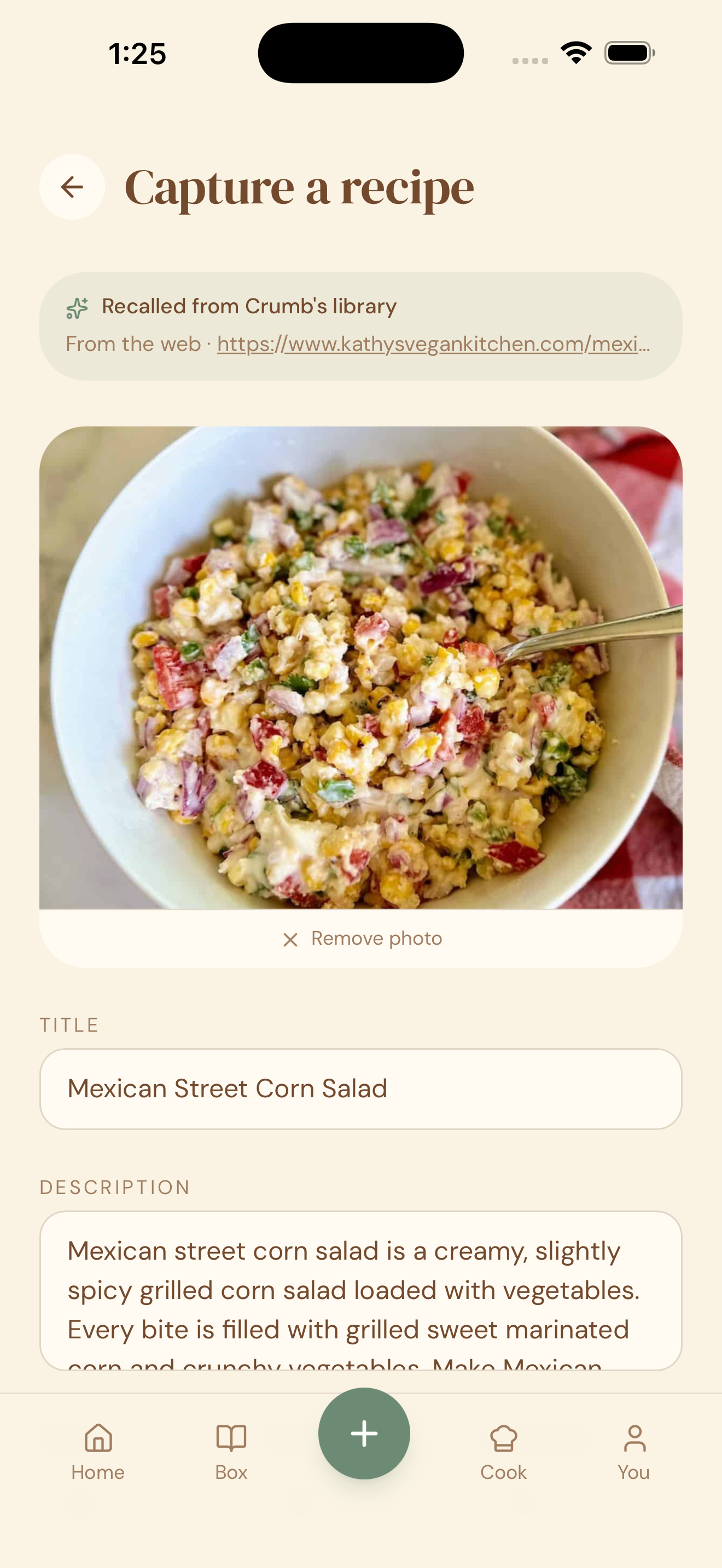
- Crumb scans the page, pulls out the recipe content, and shows you a clean review screen.
- Confirm the details and tap Save.
Method 2: Share straight from your phone’s browser
If you’ve added Crumb to your Share Sheet, you can skip copying the link entirely:
- Find the recipe in Safari, Chrome, or any browser on your phone.
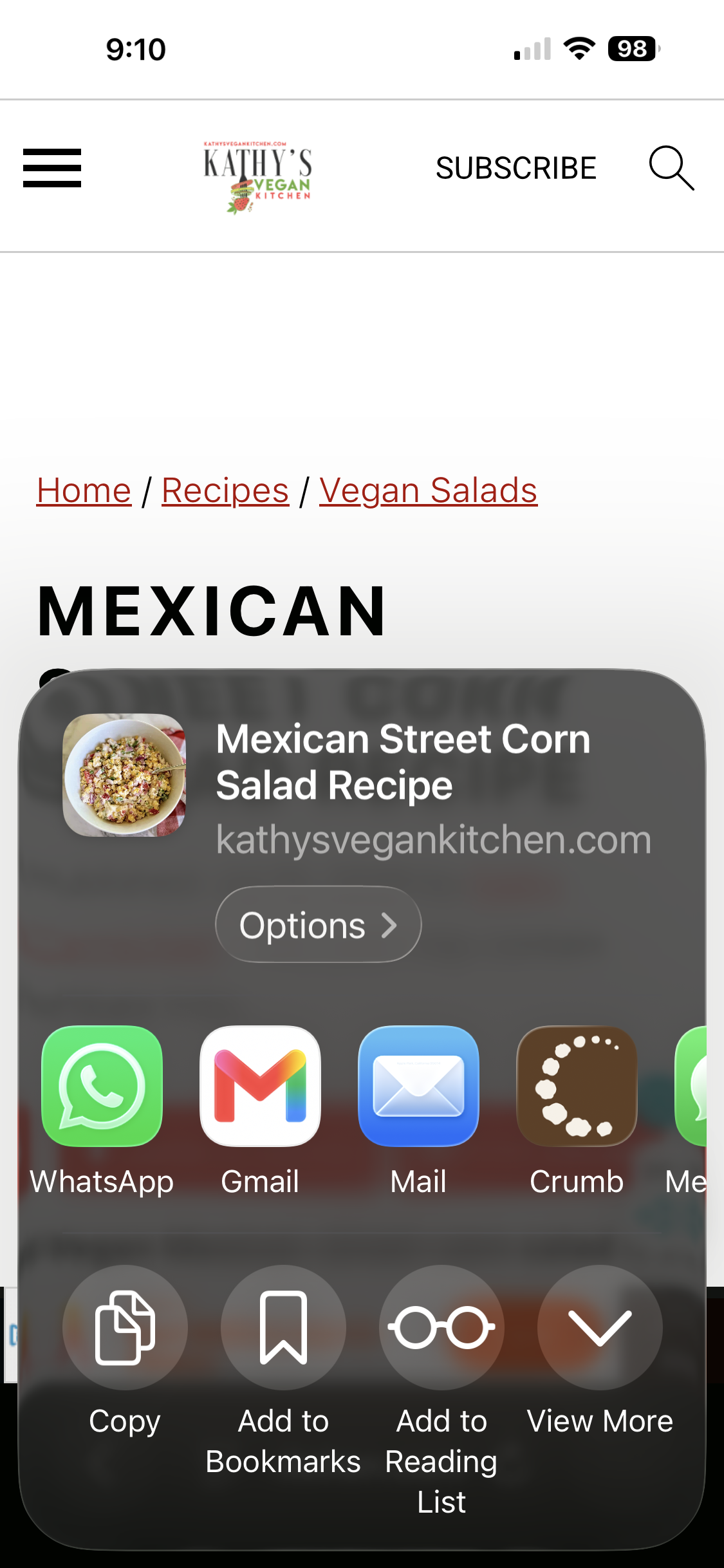
- Tap the Share button.
- Tap Crumb in your Share Sheet.
- Crumb imports the page automatically and shows you the review screen.
- Confirm the details and tap Save.
Haven’t set up the Share Sheet yet? It only takes a minute — see how to add Crumb to your iPhone Share Sheet.
Why this works so well
Recipe blogs are famous for making you scroll past ads and a 600-word story before you reach the actual recipe. Crumb ignores all of that and pulls out just the part you need: what to buy and what to do with it. And once Crumb is in your Share Sheet, you don’t even need to leave your browser to save it.
Quick tips
- Works on almost any recipe site — from big publishers to small personal blogs.
- If a page uses a lot of images instead of text for the method (rare, but it happens), some steps may need a manual touch-up on the review screen.
- The original site and author are automatically credited on the saved recipe, so you always know where it came from.
- Saved a recipe from a site before? Crumb caches it, so re-importing the same link (by you or a family member) is instant.
- The Share Sheet method works from any app with a native Share button, not just browsers.